Onboarding Checklist Examples: Before Arrival Through Completion
Onboarding checklist examples for a consulting hire, covering before arrival, access, orientation, role-specific training and completion evidence.
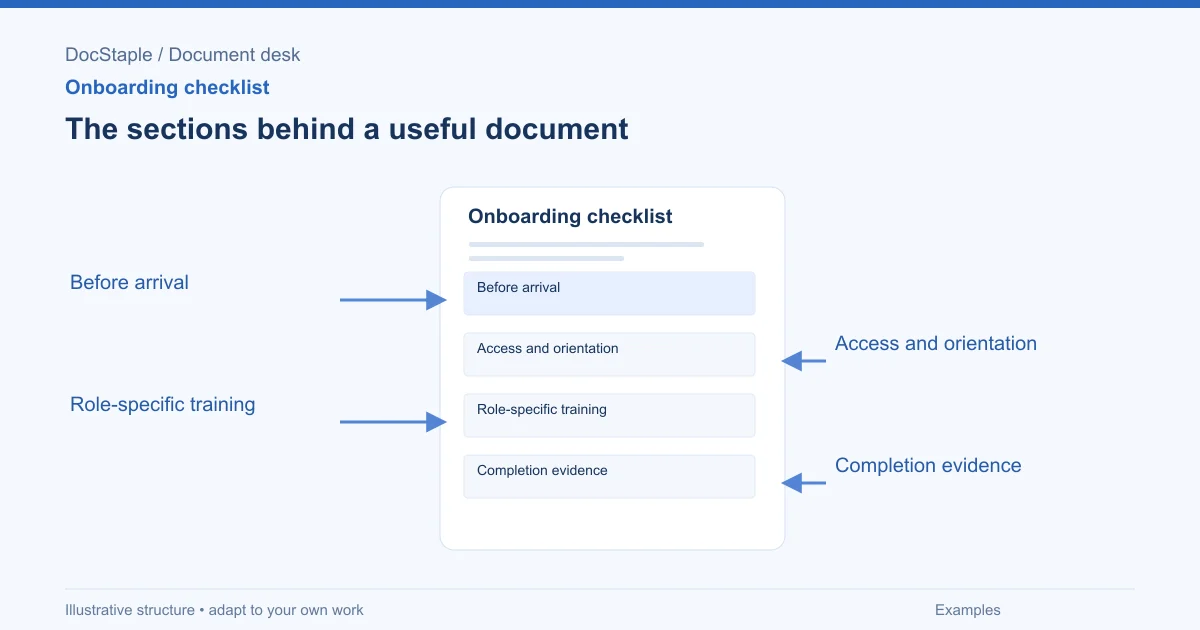
Onboarding checklist examples are most useful when they show what "done" means. A line like "set up laptop" is better than nothing, but it does not say who owns the task, what access is required or how completion is recorded.
This article uses a fictional consulting scenario: a mid-sized consulting firm is onboarding a new associate who will join a strategy review engagement. The checklist covers practical steps before arrival, first-week orientation, role-specific training and evidence that the person is ready to work with client material. Employment, privacy and training requirements vary by jurisdiction, so adapt the checklist to your local rules and internal policies.
Example 1: Before arrival
Pre-arrival work prevents the first day from becoming a scavenger hunt. It should include equipment, accounts, schedule and manager preparation.
Example checklist
| Task | Owner | Due | Evidence |
|---|---|---|---|
| Confirm start date and work location | Recruiting lead | [date] | Confirmation email saved |
| Prepare laptop and required software | IT | [date] | Asset record and setup ticket |
| Create email, chat and document-system accounts | IT | [date] | Access ticket closed |
| Send first-week schedule | Manager | [date] | Calendar invite set |
| Assign onboarding buddy | Manager | [date] | Buddy notified |
Annotation: Every task has an owner and evidence. "HR to coordinate" is weaker because it does not show what record proves completion.
The U.S. Office of Personnel Management's sample supervisor checklist includes pre-boarding actions such as confirming the start date, explaining what will happen on the first day, identifying a mentor or buddy, preparing the workspace and alerting current staff (OPM supervisor checklist PDF). That checklist is for federal onboarding, but the sequence is useful for private teams too.
Example 2: Access and orientation
Access tasks should be more precise than "give system access." Consulting teams handle client material, so permissions should follow the role.
Example checklist
| Task | Owner | Due | Evidence |
|---|---|---|---|
| Confirm identity and required employment documents | HR | Day 1 | HR record completed |
| Issue building or remote-access instructions | Operations | Day 1 | Access message sent |
| Grant project folder access | Engagement lead | Day 1 | Permission record |
| Review confidentiality expectations | Manager | Day 1 | Acknowledgment completed |
| Introduce engagement team and escalation contacts | Manager | Day 1 | Agenda marked complete |
Annotation: The checklist separates organization onboarding from project access. A new hire may have company email but still not be cleared for a specific client folder.
If the person will handle sensitive information, add a control:
Project-folder access is granted only after confidentiality onboarding is complete and the engagement lead confirms the person's role on the client work.
That line turns a policy idea into an access gate.
Example 3: Role-specific training
Role-specific training should connect to the work the person will perform. For a consulting associate, the goal is not "learn everything"; it is "work safely on the assigned engagement."
Example checklist
| Training item | Standard | Evidence |
|---|---|---|
| Interview note-taking method | Can use approved template and label source type | Sample note reviewed |
| Document naming and version control | Saves files using client project convention | Manager checks first submission |
| Client communication rules | Knows who may contact client stakeholders | Acknowledgment in onboarding record |
| Analysis quality check | Can distinguish observation, assumption and recommendation | First workpaper reviewed |
Annotation: Each item has a standard. "Complete training" is less useful than "can apply the method on a sample."
OPM's onboarding model includes first-week introductions and first-90-day training as needed so a new employee can understand systems, operating practices and skills required for the job (OPM onboarding model PDF). Use that idea to build staged training instead of a one-day information dump.
Example 4: Manager check-ins
Check-ins catch confusion before it becomes rework. Put them on the checklist so they actually happen.
Example schedule
| Check-in | Owner | Focus | Evidence |
|---|---|---|---|
| End of day 1 | Manager | Access, schedule, immediate blockers | Note in onboarding file |
| End of week 1 | Manager | Role clarity, first assignments, questions | Checklist updated |
| Day 30 | Manager | Performance expectations, training gaps | Development notes |
| Day 60 or 90 | Manager | Readiness for independent work | Manager sign-off |
Annotation: The evidence can be lightweight. The point is not bureaucracy; it is making sure the organization can see what was discussed and what remains open.
Avoid using the checklist as a substitute for performance management or legal notices. If employment rights, required notices or accommodations are involved, use the process required by your organization and jurisdiction.
Example 5: Completion evidence
Completion evidence keeps onboarding from ending with unchecked assumptions.
Example language
Onboarding is complete for this role when required accounts are active, confidentiality and client-access expectations are acknowledged, role-specific training items are complete, first workpaper review has no critical gaps, and the manager records either readiness for assigned work or follow-up actions.
Annotation: Completion is not "the first week is over." It is a set of observable conditions.
If your checklist is a Word document, keep the evidence table editable and remove review clutter before filing. Microsoft Support explains that Word tracked changes can be accepted or rejected during review (Microsoft Support). Resolve changes before saving the approved onboarding record.
Review gate before use
Check the checklist before assigning it:
- Before arrival: equipment, accounts, workspace and schedule are prepared.
- Access: permissions match the role and client confidentiality rules.
- Orientation: the new hire knows team contacts, escalation routes and first-week expectations.
- Training: each role-specific item has a standard and evidence.
- Completion: manager sign-off is tied to readiness, not just elapsed time.
- Records: completion evidence is stored under the organization's retention and privacy rules.
For consulting teams, add a client-readiness gate when the new hire will touch client work:
| Readiness item | Who confirms | Evidence |
|---|---|---|
| Confidentiality expectations understood | Manager | Acknowledgment complete |
| Project folder access matches role | Engagement lead | Permission record |
| First workpaper reviewed | Manager | Review note saved |
| Client contact rules understood | Engagement lead | Checklist signed |
This prevents a common gap: the employee is onboarded to the company but not yet ready for a sensitive client engagement. If the person will not work on client material, mark the gate not applicable and say why.
Also include a place for open items. A checklist can be complete for payroll and building access while still open for project readiness. Separate "complete," "not applicable" and "follow-up required" so managers do not close the whole record just because the easy tasks are finished.
Start from an editable checklist
The consulting onboarding checklist template includes editable Word sections for before the start date, initial orientation, supervised practice, readiness and ongoing support, plus review and approval prompts. Use it to build a checklist that proves the onboarding work happened and shows what still needs attention.
Sources: OPM sample supervisor checklist, OPM onboarding model, Accept tracked changes, Microsoft Support
Last updated: September 26, 2026
Frequently Asked Questions
Related Articles
Change Request Best Practices for Client Delivery
Change request best practices for documenting the reason, scope impact, schedule and cost implications, and authorization before changed work starts.
Change Request Checklist for Reviewing Scope, Schedule and Cost
A change request checklist for consulting projects covering reason for change, scope impact, schedule and cost implications, and authorization.
Change Request Examples: Scope, Schedule, Cost and Authorization
Practical change request examples for consulting projects, with annotated language for the reason, scope impact, schedule, cost, decision and authorization.
Handover Document Best Practices for Client Delivery
Handover document best practices for completed work, outstanding actions, access, operating instructions, acceptance, and ownership.
Handover Document Checklist: Completed Work, Open Actions and Ownership
A practical handover document checklist for consulting work, with review gates for completed work, outstanding actions, access, operating notes and acceptance.
Handover Document Examples for Consulting Work
Handover document examples for consulting teams, covering completed work, outstanding actions, access and operating instructions, and acceptance and ownership.