Project Status Report Examples: Milestones, Decisions and Risks
Project status report examples for consulting delivery, with annotated language for milestones, decisions needed, blockers and the next reporting period.
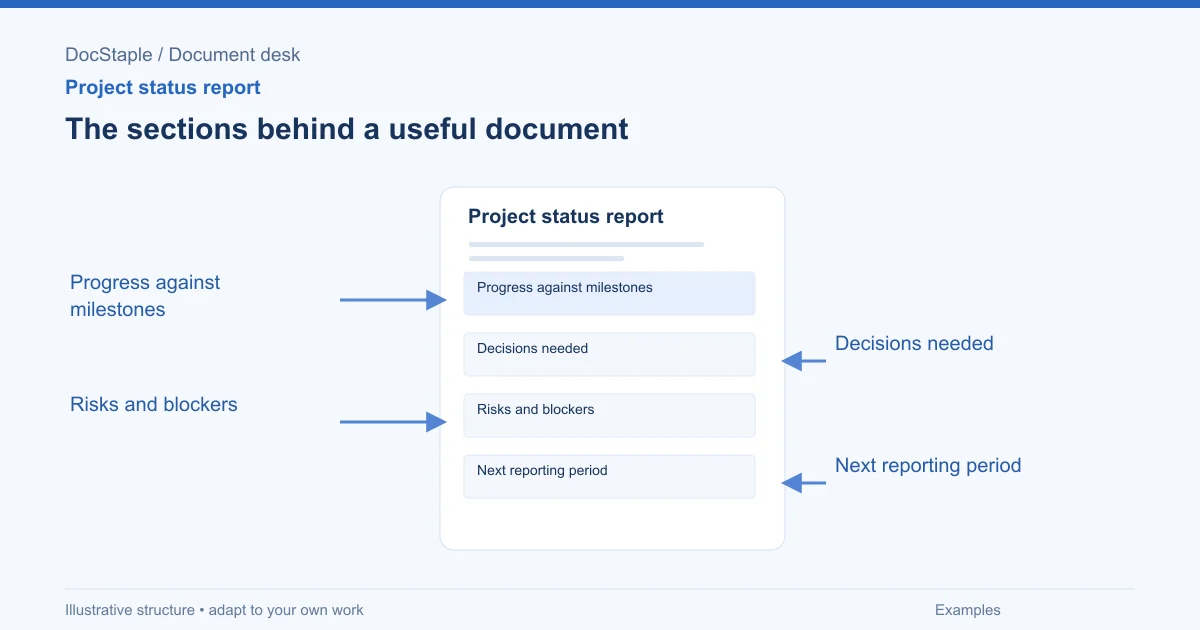
Project status report examples should show more than green, yellow and red labels. A good report helps a sponsor decide what to do next. It says what moved, what is stuck, what changed and what decision is needed before the next reporting period.
This article uses a fictional consulting scenario: a customer-support process review for a subscription business. The consulting team is halfway through discovery and needs the client sponsor to decide whether to add a billing-support workflow to the review. The examples focus on language you can adapt, not on invented performance claims.
Example 1: Overall status with a reason
A status color without a reason invites debate. Pair the rating with the event that caused it and the action needed.
Weak draft
Overall status: Amber. Some items are delayed.
Stronger draft
Overall status: Amber. Discovery interviews are on track, but ticket export access is still pending. If access is not granted by [date], the analysis milestone will move by [number] business days. Decision needed: sponsor to confirm whether the data owner can prioritize access this week.
Annotation: The report says what is on track, what is not, the consequence and the decision. It does not turn amber into a mood.
FAR 37.601 says performance-based service contracts include measurable performance standards and the method of assessing contractor performance against those standards (Acquisition.GOV, FAR 37.601). A consulting status report is not a federal contract, but it benefits from the same pairing: state the standard and how current work compares with it.
Example 2: Progress against milestones
Progress should be reported against the plan the client approved, not against whatever felt busy this week.
Example language
| Milestone | Planned date | Current status | Evidence |
|---|---|---|---|
| Complete intake interviews | [date] | Complete | [number] interviews completed; notes saved in project folder |
| Map current support workflow | [date] | On track | Draft map reviewed with support operations |
| Analyze ticket export | [date] | At risk | Export access pending |
| Draft recommendations | [date] | Not started | Depends on ticket analysis |
Annotation: The evidence column keeps the report from becoming self-assessment. It also gives the sponsor a record to audit later.
If a milestone changed, say whether the baseline changed too:
The draft recommendations milestone remains [date]. This date will be revised only if ticket export access is not available by [date] or the sponsor approves the billing-support scope addition.
That sentence protects the plan from quiet drift.
Example 3: Decisions needed from the client
A decision table is often the most valuable part of the report. Make each decision specific enough that the sponsor can answer it.
Example language
| Decision needed | Owner | Needed by | Recommendation | Effect if delayed |
|---|---|---|---|---|
| Add billing-support workflow to scope? | Sponsor | [date] | Defer unless it affects the top three ticket drivers | May add [number] interviews and move analysis milestone |
| Approve access request for ticket export | Data owner | [date] | Approve this week | Analysis milestone at risk |
| Confirm workshop attendees | Sponsor | [date] | Include support, product and finance leads | Workshop agenda cannot be finalized |
Annotation: "Please advise" is not a decision request. This table states the decision, owner, date, recommendation and consequence.
The Oregon Department of Transportation's SOW guide recommends discussing tasks, deliverables, delivery schedule and items provided by the agency during SOW review, and capturing expectations in writing (ODOT SOW Writing Guide). A status report is a live version of that discipline: if a client input affects timing, write the owner and date.
Example 4: Risks and blockers with next action
Risks are possible future problems. Blockers are current obstacles. Do not mix them.
Example language
Blocker: Ticket export access has not been granted. Owner: Client data owner. Next action: Sponsor to escalate access request by [date]. Impact: Analysis milestone may move by [number] business days.
Risk: Adding billing-support workflow may expand the review beyond the approved timeline. Owner: Sponsor. Mitigation: Decide by [date] whether to defer, add a scoped extension or replace a lower-priority workflow.
Annotation: Each item has an owner and a next action. "Monitor" is not a mitigation unless someone has defined what they are watching and when they will act.
Use direct language. A client status report is not the place to soften a blocker until it disappears.
Example 5: Next reporting period
The next-period section should make commitments visible. It is not just a calendar preview.
Example language
During the next reporting period, the consulting team will finalize the current-state workflow map, analyze the ticket export if access is granted by [date], and prepare the draft workshop agenda. The client sponsor will confirm workshop attendees and resolve the billing-support scope decision. The next report will show whether the analysis milestone remains achievable.
Annotation: Both parties have commitments. The final sentence names the question the next report must answer.
If the report is prepared in Word, keep the decision table editable. Microsoft says Word's Track Changes lets reviewers accept or reject changes and move through them in sequence (Microsoft Support). For status reports, that is useful when sponsors correct facts, but resolve comments before sending the approved version to a wider audience.
Review gate before issuing
Use this check before you send the report:
- Period: Does it state the date range covered?
- Overall status: Is the rating tied to a concrete reason and consequence?
- Milestones: Are planned dates, current status and evidence shown?
- Decisions: Does each decision have one owner, one date and a recommendation?
- Risks and blockers: Are current blockers separate from future risks?
- Next period: Are commitments visible for both consultant and client?
- Changes: Are scope or timeline changes identified rather than hidden?
- Audience: Is confidential or draft-only information appropriate for the recipients?
Add one more review that many teams skip: compare the report against the last approved report. If an item was amber last week and has vanished this week, the reader needs to know whether it was resolved, accepted as a change, moved to a separate log or dropped by mistake. A short carry-forward table can prevent silent loss:
| Prior item | Current treatment | Owner |
|---|---|---|
| Ticket export access pending | Still open; escalated to data owner | Sponsor |
| Workshop attendee list incomplete | Closed; attendees confirmed on [date] | Sponsor |
This is especially useful when the sponsor forwards reports to people who do not attend the weekly call. They can see continuity without reading every old version.
If the report includes a status color, define the colors once and keep the definition stable. For example, green means work is on plan, amber means a decision or dependency threatens the plan, and red means the approved plan no longer holds without intervention. Changing the meaning of the colors between reports makes trends impossible to read.
Start from an editable report
The consulting project status report template provides editable Word sections for period and overall assessment, progress and milestones, risks, issues and dependencies, decisions and next commitments, plus review and approval prompts. Use it to make the report a decision tool, not a weekly diary.
Sources: FAR 37.601, Acquisition.GOV, Statement of Work Writing Guide, Oregon Department of Transportation, Track changes in Word, Microsoft Support
Last updated: September 26, 2026
Frequently Asked Questions
Related Articles
Change Request Best Practices for Client Delivery
Change request best practices for documenting the reason, scope impact, schedule and cost implications, and authorization before changed work starts.
Change Request Checklist for Reviewing Scope, Schedule and Cost
A change request checklist for consulting projects covering reason for change, scope impact, schedule and cost implications, and authorization.
Change Request Examples: Scope, Schedule, Cost and Authorization
Practical change request examples for consulting projects, with annotated language for the reason, scope impact, schedule, cost, decision and authorization.
Handover Document Best Practices for Client Delivery
Handover document best practices for completed work, outstanding actions, access, operating instructions, acceptance, and ownership.
Handover Document Checklist: Completed Work, Open Actions and Ownership
A practical handover document checklist for consulting work, with review gates for completed work, outstanding actions, access, operating notes and acceptance.
Handover Document Examples for Consulting Work
Handover document examples for consulting teams, covering completed work, outstanding actions, access and operating instructions, and acceptance and ownership.